Pin Your Saved Tests: Keep the Ones That Matter at the Top
Your saved tests list grows fast. A mock for every subject, a few "wrong answers only" reruns, the test your instructor assigned, the one you keep going back to before bed. Within a couple of weeks the tests you actually use every day are buried under the ones you finished a month ago.
From today, you can pin a saved test. Pinned tests move into their own Pinned section at the very top of the Saved Tests page and stay there, whatever else you save, until you unpin them.
How it works
- Open Saved Tests.
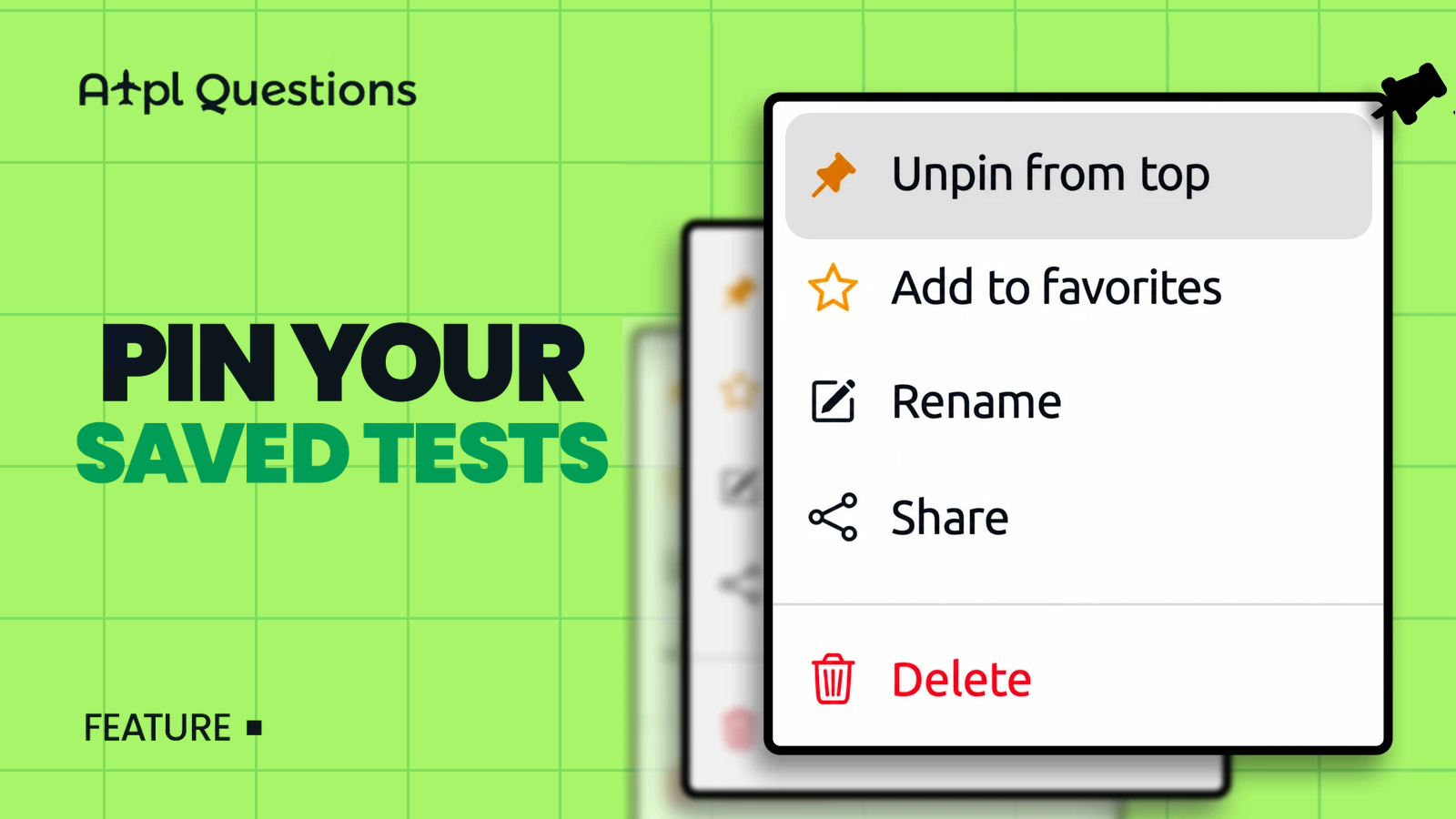
- On the test you want to keep in reach, open the Actions menu (the ⋮ button at the end of the row).
- Choose Pin to top.
That's it. The test jumps into the Pinned section with an amber pin next to its name; everything else sits below under Other Tests. Pinning is saved to your account, so the order is the same on your laptop, your tablet and your phone's browser.
To send a test back to the normal list, open the same menu and choose Unpin from top.
Pinning doesn't change the test itself — your progress, score, flags and notes stay exactly as they were. It only changes where the test sits in your list.
Three ways students use it
- Today's work. Pin the one or two tests you are actively working through, so they are the first thing you see when you log in.
- Your final mock. Building a clean, unseen test for the last week before the exam? Pin it now so it is impossible to lose among your practice runs.
- The evening rerun. That "wrong answers only" test you retake every night until it comes out clean? Pin it, and it is one click away every time.
Pin or favourite?
The Actions menu gives you two ways to mark a test, and they solve different problems:
- Pin to top — for the handful of tests you need right now. Think of it as your desk, not your bookshelf; keep it short.
- Add to favorites — a lasting mark for tests you rate highly and may return to later. Favorites can be filtered in one click.
They work together. A test can be a favorite and be pinned at the same time — pinning just decides what is at the top of the page today.
Small things we took care of
- Pinned tests keep the normal Study / Exam split, filters and search — pinning only affects order.
- The Pinned section only appears when you have at least one pinned test, so the page looks exactly as before if you never use it.
- Rename, Share and Delete are in the same menu, so managing a test is now one click instead of a hunt across the row.
Open Saved Tests, find the test you keep looking for, and pin it. Your future self at 6 a.m. will thank you.