Folders for Saved Tests: Organise Your Study Your Way
Many subjects, months of preparation, and a saved tests list that only ever gets longer. Filters help you find a single test, but they don't reflect how you actually study: this week's Meteorology block, the mocks you're saving for exam week, the reruns you do every evening.
From today you can sort your saved tests into folders, named and organised however you like.
Two ways to see your tests
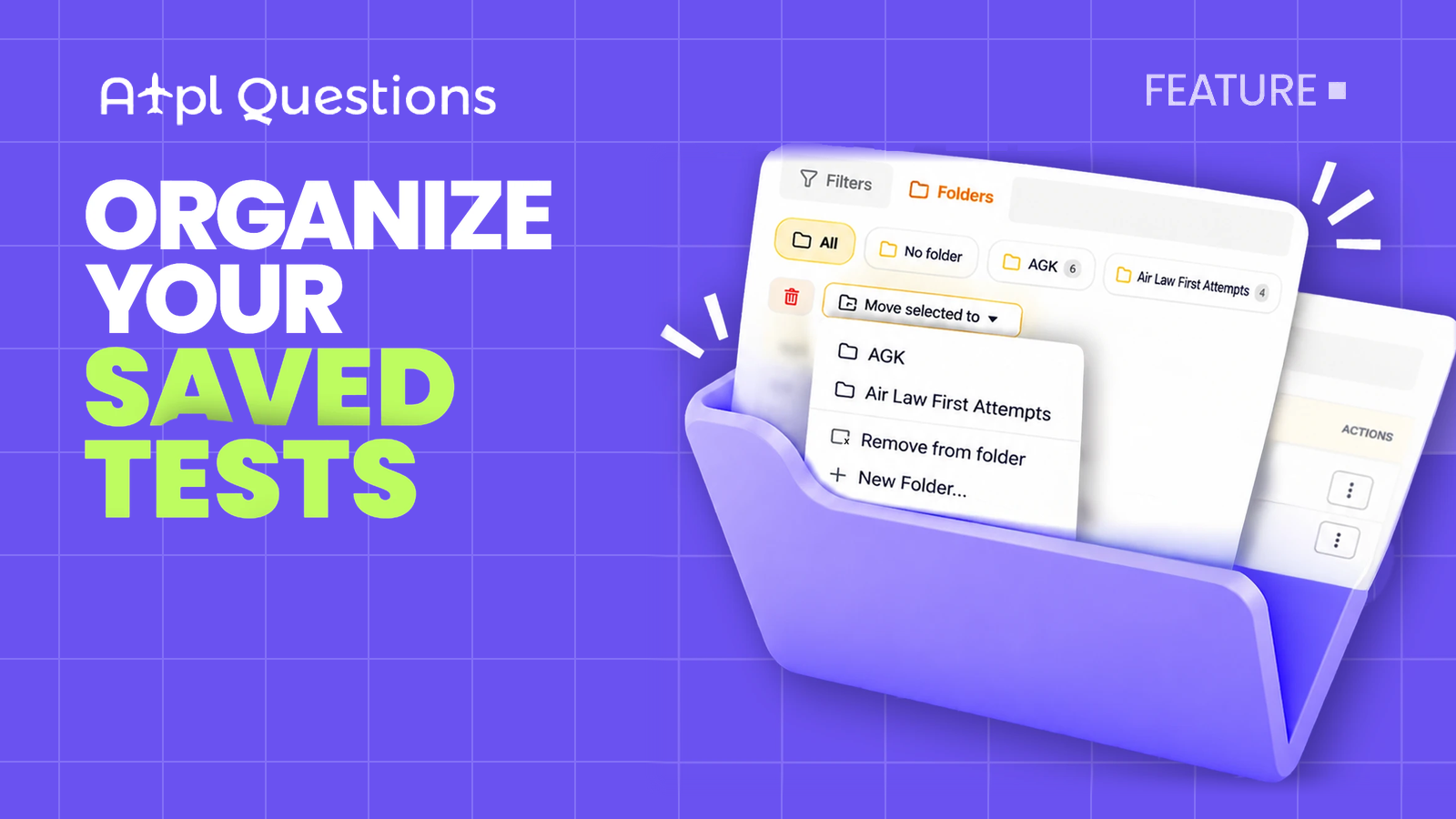
At the top of the Saved Tests page there is a new switch:
- Filters is the view you already know, with study/exam, status and favourite filters.
- Folders shows your tests by folder. Pick a folder at the top, and only its tests are listed.
The page remembers which view you used last, so if you are a folders person, folders are what you will see next time.
How it works
- Switch to Folders and click New Folder. Give it a name: "033 Flight Planning", "Week 12", "Final mocks", anything that makes sense to you.
- Tick the checkboxes next to the tests you want to group. You can select as many as you like at once.
- Open Move to and choose the folder. Done. The tests move in together and the folder's counter updates straight away.
Changed your mind? Select the tests again and pick another folder, or choose Remove from folder to take them out.
The folder bar
- All lists every saved test, in folders or not.
- No folder lists the tests you haven't filed yet. It's the quickest way to tidy up.
- Each folder shows how many tests it holds. Hover over it to rename it with the pencil or delete it with the cross.
Deleting a folder never deletes your tests. They simply move back to No folder, with all their progress, scores and flags intact.
Ideas for organising
- By subject. One folder per ATPL subject, so every test for 050 Meteorology lives in one place.
- By study block. A folder per week or per module, so you always know what belongs to your current block.
- By purpose. "Wrong answers reruns", "Final mocks", "Real exam questions". Group tests by what you use them for, not by subject.
- By sitting. If you are taking subjects across several exam sessions, a folder per sitting keeps each session's preparation together.
Small things we took care of
- A test belongs to one folder at a time, so nothing gets duplicated and counts stay honest.
- Folder names must be unique, so you won't end up with two "Mocks" folders.
- Folders sit alongside your other tools. You can still pin a test, add it to favourites, rename, share or delete it as before.
- Folders are available on the web app.
Open Saved Tests, switch to Folders, and create your first folder. Five minutes of tidying now saves you a lot of scrolling later.