Hide the Timer: Focus on the Question, Not the Clock
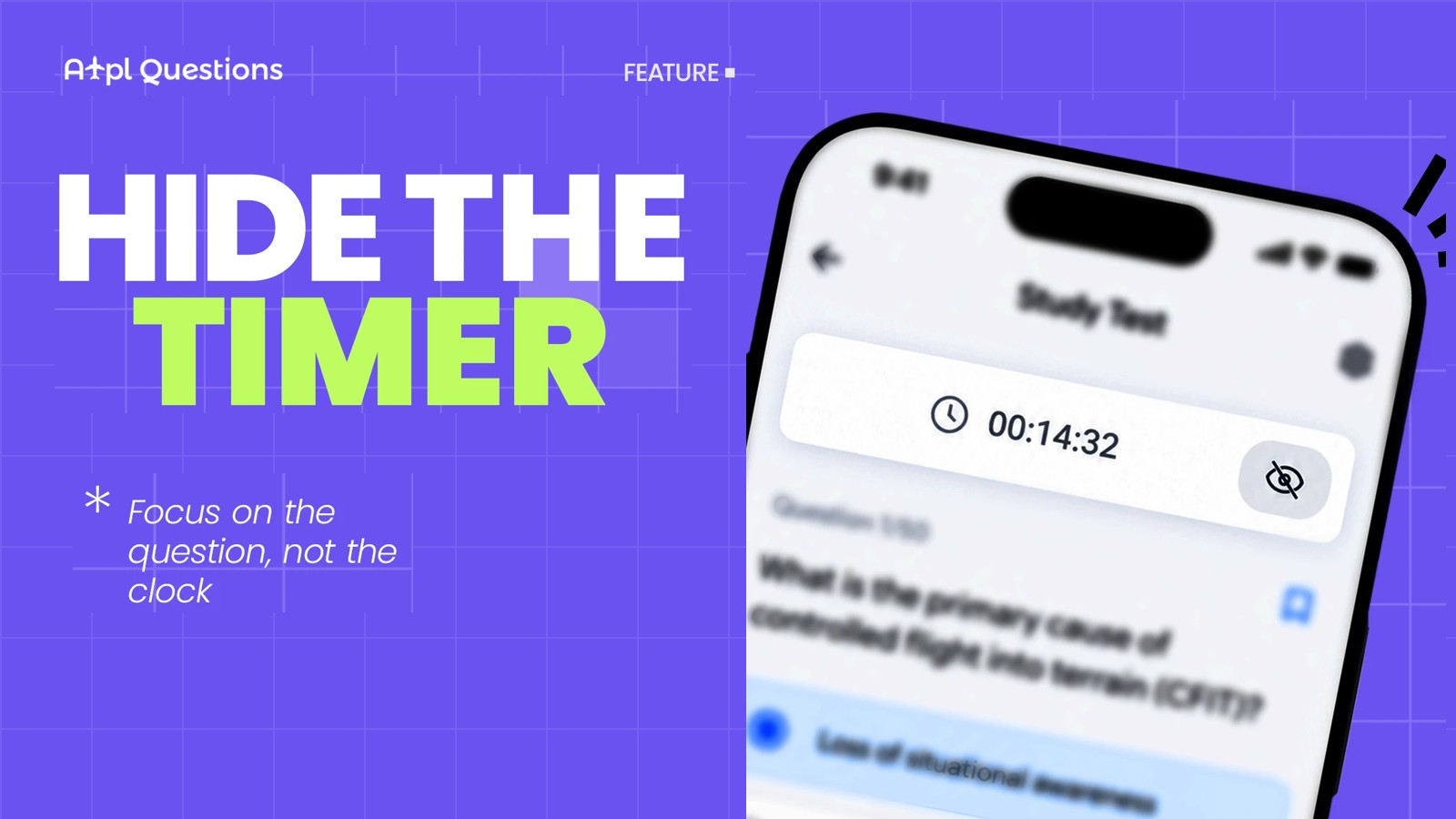
You open a study test, read the first question, and your eyes drift up. 00:14:32. You read the question again. 00:14:41. Now you are calculating how many seconds you have per question instead of calculating the pressure altitude the question actually asked for.
We heard this from a lot of you, and we agree. So the ATPL Questions now has a Hide Timer option in Settings. Switch it on, and the clock disappears from your study tests. Switch it off, and it comes back.
That is the whole feature. The rest of this post is about why it matters more than it looks.
Why a visible clock hurts learning
A study test and an exam are two different jobs.
In the exam, your job is to produce the right answer inside a fixed time. Time pressure is part of the task, and you should train for it.
In a study test, your job is to learn: read the stem carefully, work out why one option is correct and three are not, read the explanation, and remember it next time. Time pressure works against every step of that. The running clock does three things you do not want while learning:
- It splits your attention. Every glance at the timer is a context switch away from the question. Small, but it happens dozens of times per session.
- It rewards guessing. When the clock is visible, most students speed up on hard questions and pick "the most likely" option instead of working the problem. You get the question wrong, but worse, you never practise the reasoning.
- It builds exam anxiety at the wrong time. Nervousness about time belongs to the last two weeks before the exam, when you run mock exams. Six weeks out, while you are still meeting Mass & Balance questions for the first time, it only adds stress.
Hiding the timer removes all three at once. Your session is still timed in the background, and your statistics are unchanged; you simply do not look at it while you work.
How to use it
- Open Settings.
- Turn on Hide Timer.
- Start a Study Test. The clock is no longer shown while you work.
- To see the time again, turn the option off in Settings.
The setting stays in place until you change it, so you decide once and forget about it. The elapsed time is still recorded in the background, so your test history and per-question timing in your statistics look exactly as before.
When to hide it, and when not to
We are not telling you to ignore time. We are telling you to be deliberate about it.
Hide the timer when you are:
- Working through a subject for the first time, especially calculation-heavy ones such as Performance, Flight Planning or Mass & Balance.
- Doing an "Incorrect Questions" or flagged-questions review, where the point is to understand each mistake.
- Studying late in the day or when you already feel tense. The clock does not help a tired brain.
Keep the timer visible when you are:
- Running an Exam Test or a full-length mock. Here the clock is the point.
- In the last 10 to 14 days before the sitting, when you should be practising pace.
- Working on a subject where you know the material but consistently run out of time in mocks. Then the timer is the diagnostic, not the distraction.
A simple rhythm that works for most students: learn with the timer hidden, rehearse with it visible.
Example: the kind of question that deserves your full attention
Example question (Human Performance)
What is the primary cause of controlled flight into terrain (CFIT)?
- Mechanical failure of the flight controls
- Loss of situational awareness by the crew
- Severe icing at low altitude
- Incorrect altimeter calibration by maintenance
Explanation: CFIT accidents involve an airworthy aircraft flown into terrain, water or an obstacle under crew control. In the large majority of cases the crew did not know where they were relative to the terrain; that is a loss of situational awareness, not a technical failure. Every other option describes a contributing factor that can occur, not the primary cause.
Read that explanation once, slowly, without a clock running, and you will not miss the CFIT question again. Read it in a hurry and you will remember "something about terrain".
Where to find it
The Hide Timer option is live in the current version of the ATPL Questions, under Settings.
If you have an idea for another small change that would make your study sessions calmer, tell us. This feature exists because you asked for it.