AI Test Analysis: Turn Every Test Result Into Your Next Study Plan
You just finished a test. 68%. Now what? The score tells you how you did, but not why, and definitely not what to do tomorrow morning. Was it one sub-subject that dragged you down, or a little bit of everything? Which questions should you practise first?
From today, every finished test report answers those questions for you. Open any test in Reports and you will find a new AI Test Analysis panel right under your score chart.
What's inside
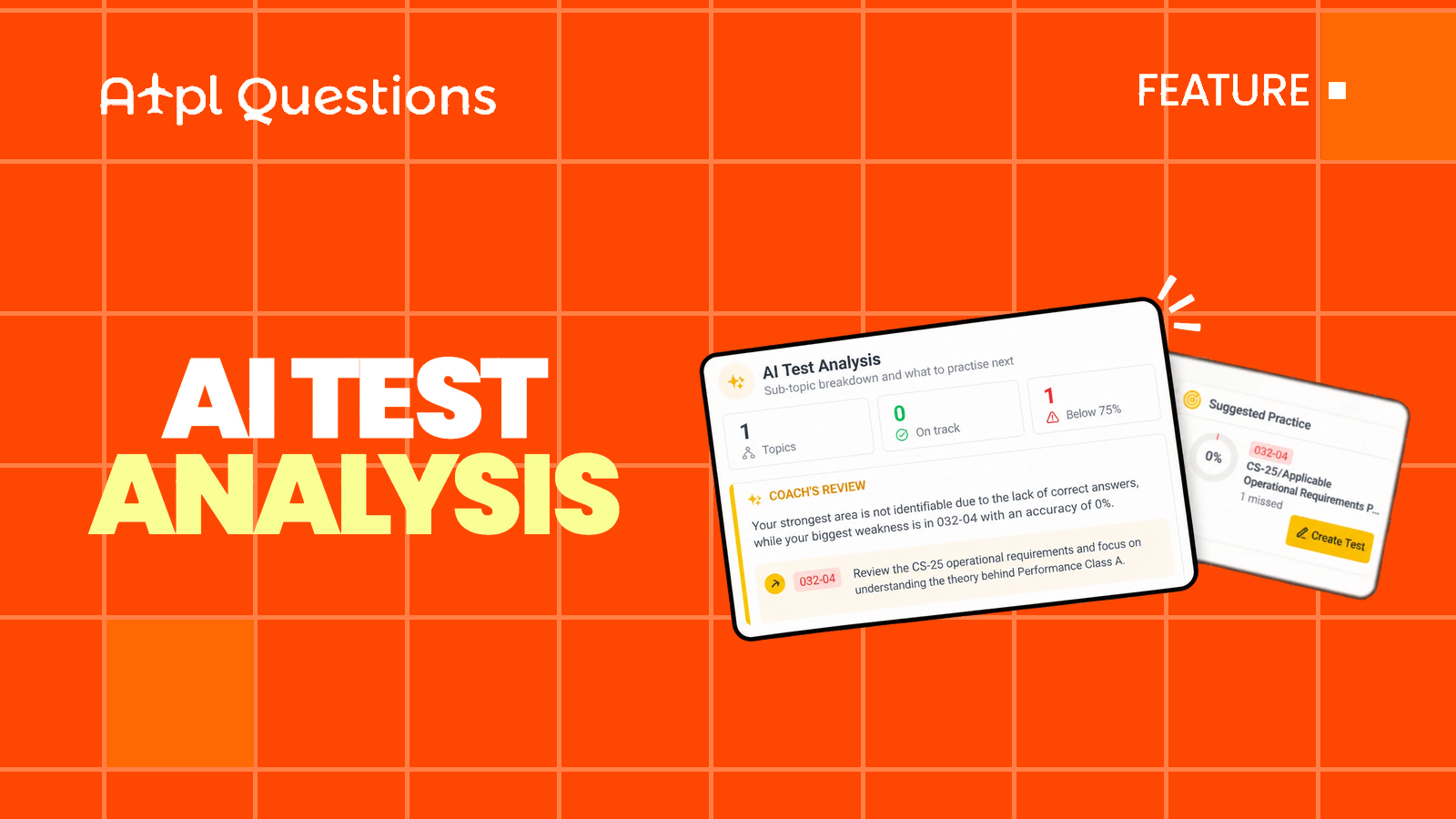
The panel has three sections. Each one opens with a click, so the report stays clean until you want the detail.
1. Coach's Review
Three quick numbers come first: how many sub-subjects the test covered, how many are on track, and how many are below the pass mark. The pass mark is 75% by default, or your school's own pass rate on a test your school assigned.
Below them, an AI coach writes a short review of this specific test. It is two sentences on your strongest area and your biggest weakness, then up to three concrete practice tips, each tied to a sub-subject code such as 032-04. It only uses numbers from your actual result. Nothing is invented, and nothing generic.
The review is written only when you open Coach's Review, and it is saved with the test. Open it again tomorrow and it is there instantly.
2. Sub-Subject Results
Every sub-subject in the test gets its own row: the code and name, how many you got right out of how many were asked, and a bar showing your accuracy against the pass mark line. The weakest sub-subjects are listed first, so the problems are the first thing you see.
3. Suggested Practice
This is where the analysis turns into action. Up to five sub-subjects where you fell below the pass mark are listed, weakest first. Each card shows your accuracy and how many incorrect questions you had in that sub-subject. Questions you left blank count as incorrect here, just as they do in the exam.
Click Create Test on any card and we build a study test for exactly that sub-subject, named AI Practice plus the code, and open it straight away. From weak spot to practice in one click.
How to get the most out of it
- Read it right after the test. The mistakes are fresh, and the review tells you which ones matter most.
- Practise the top suggestion the same day. One short, focused study test beats rereading the whole chapter.
- Re-test, then compare. Take another exam-style test a few days later and open its analysis. If a sub-subject has moved from red to green, it worked.
- Look past the score. A 78% can still hide a 30% sub-subject. The breakdown shows it; the overall score never will.
Small things we took care of
- It works for both study and exam tests, as long as the test is finished.
- If your school has hidden the results of an assigned test, the analysis stays hidden too.
- If the AI review is temporarily unavailable, the breakdown and suggestions still work. They are calculated directly from your answers.
- On your phone's browser, the panel adapts to the small screen.
Open Reports, pick your latest test and open AI Test Analysis. Your next study session is already planned.